ManacodeUpdate
- Download and run the updater.
- Press Install next to ManaCode Talents.
- Log in and press N, or type
/mct.
 Talents
WoW 3.3.5a addon · version 1.4.1
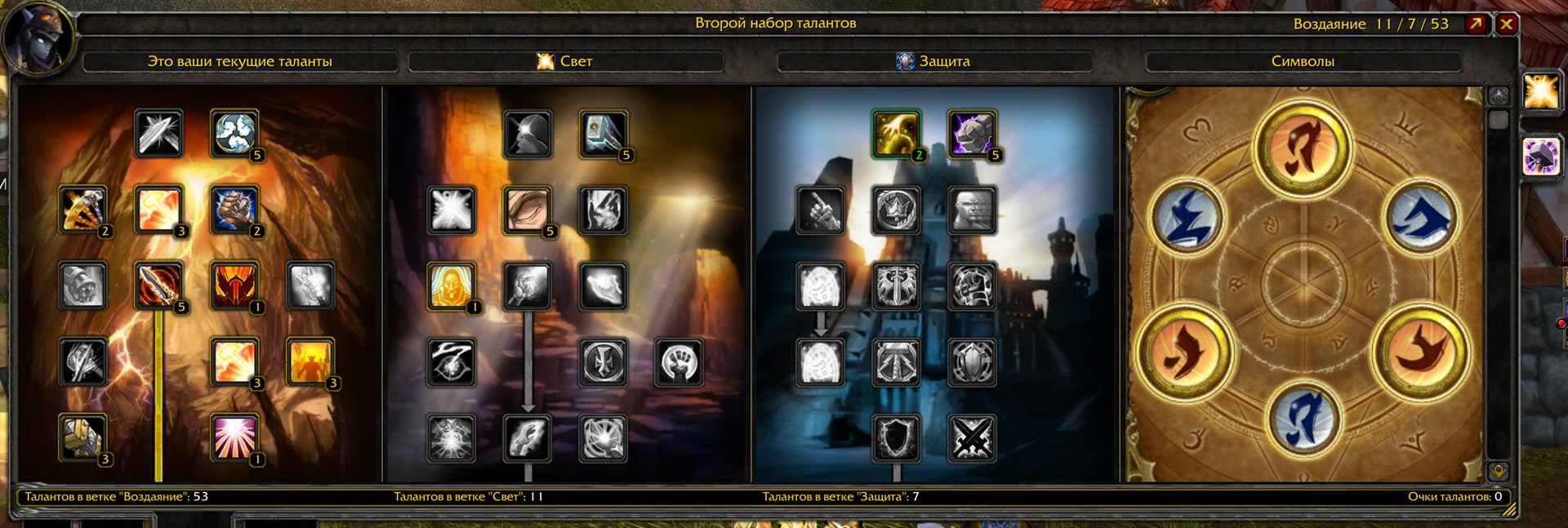
Drag the corner of the default window and the other trees line up beside it, your glyphs last. Want more — the large window: a builder for ten classes, a build library, target inspect, comparison and build sharing.
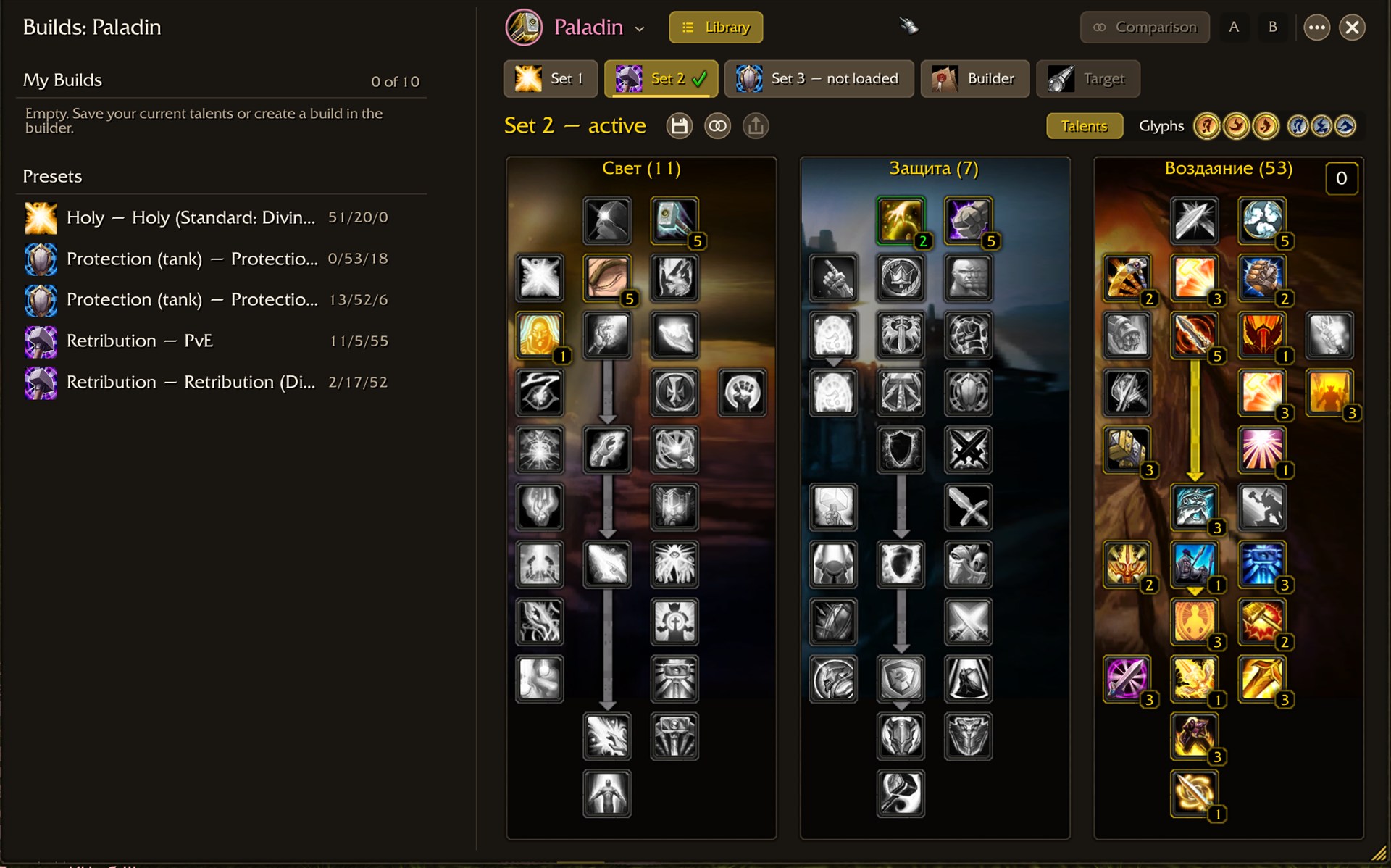
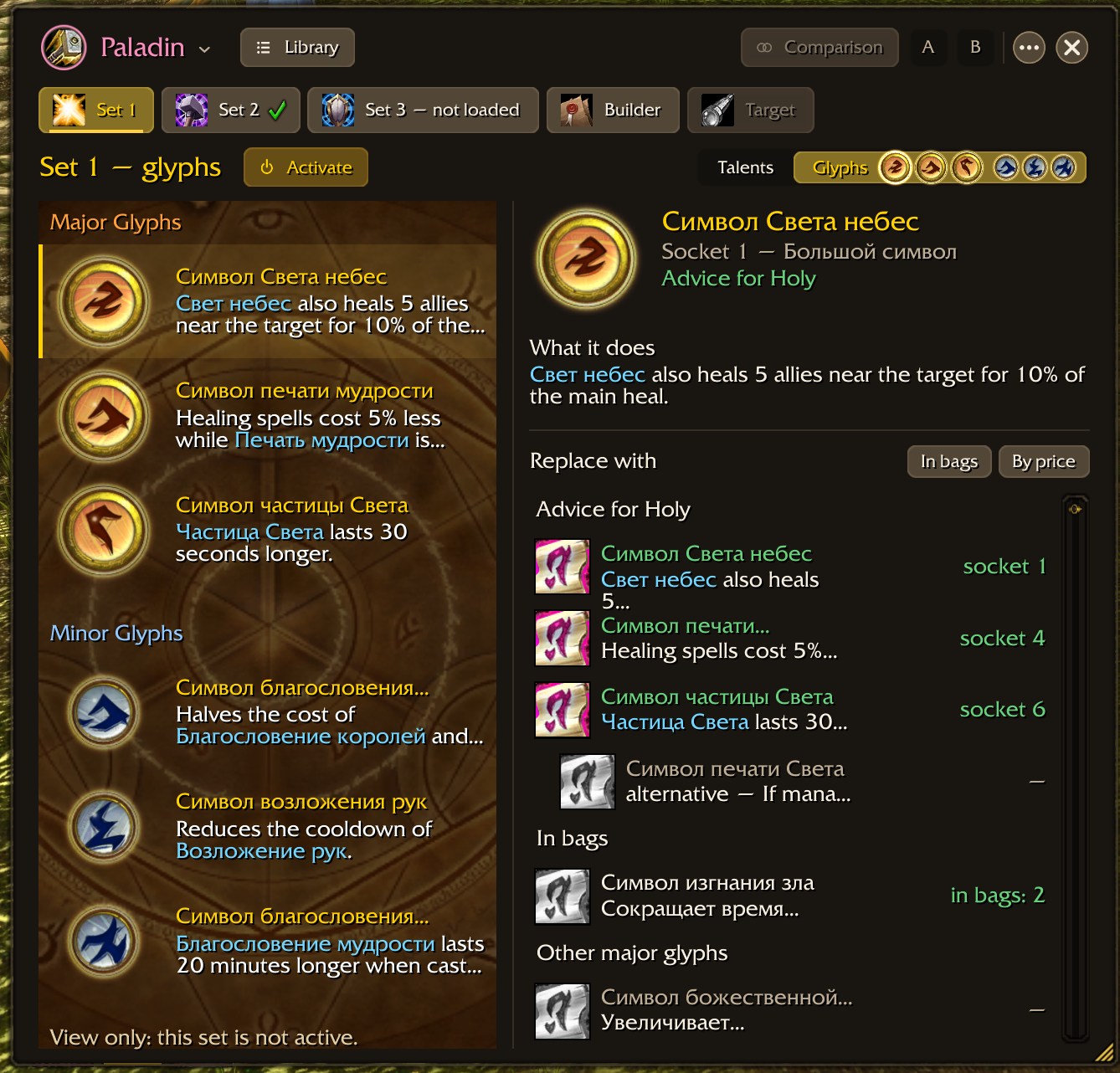
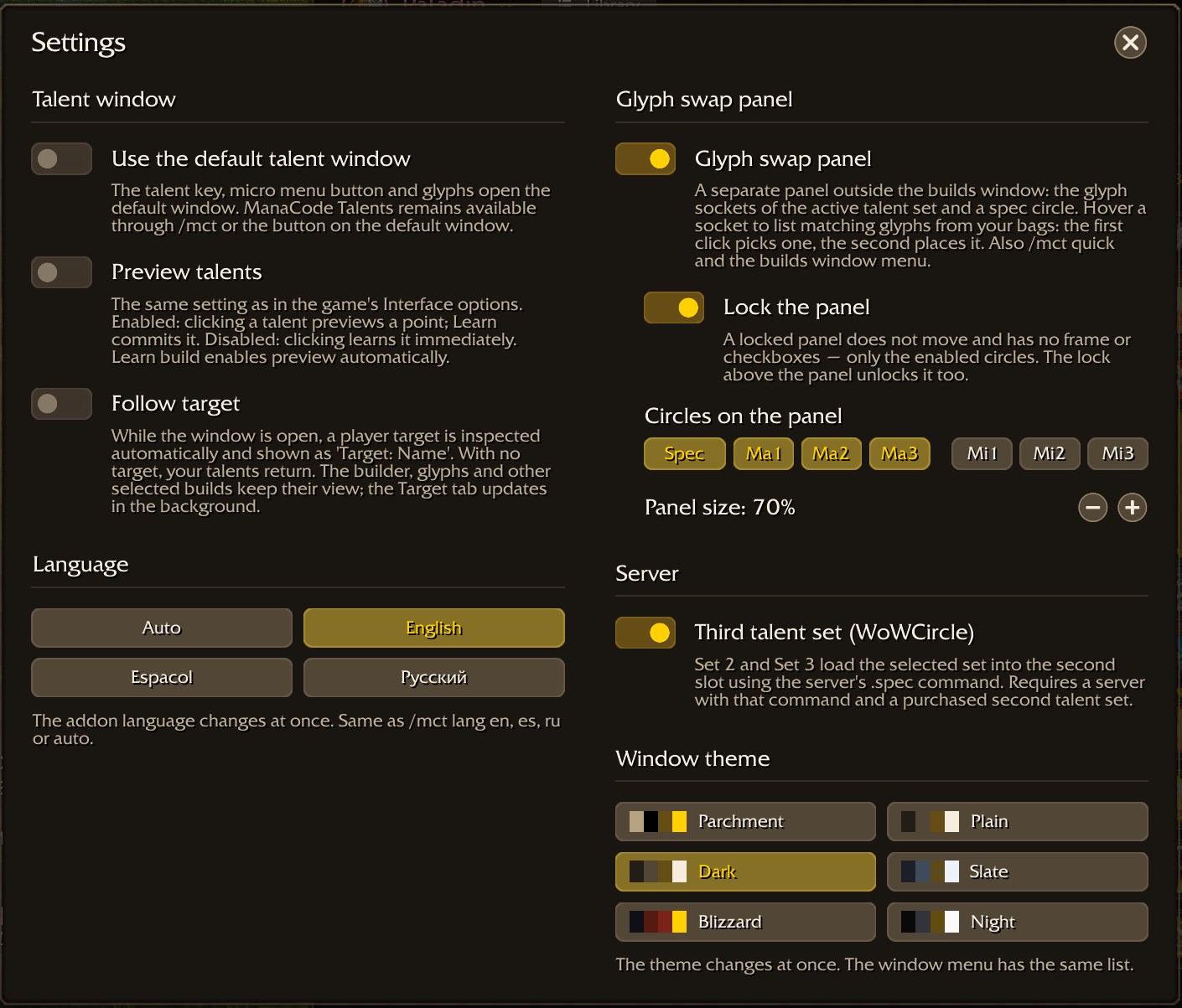
/mct/mctalents, /htpt and /htptalents./mct quick/mct theme/mct theme night picks one. It switches at once, no /reload./mct lang enen, es, ru or auto. The full list — /mct help.Nothing is replaced. The talent key opens the usual window, and the bottom-right corner pulls the two other trees out next to it, followed by the glyphs of the set. Learning, talent sets and pet talents follow the game's own rules. Screenshots are from a Russian client, so talent, tree and glyph names stay Russian; the addon itself speaks English here.
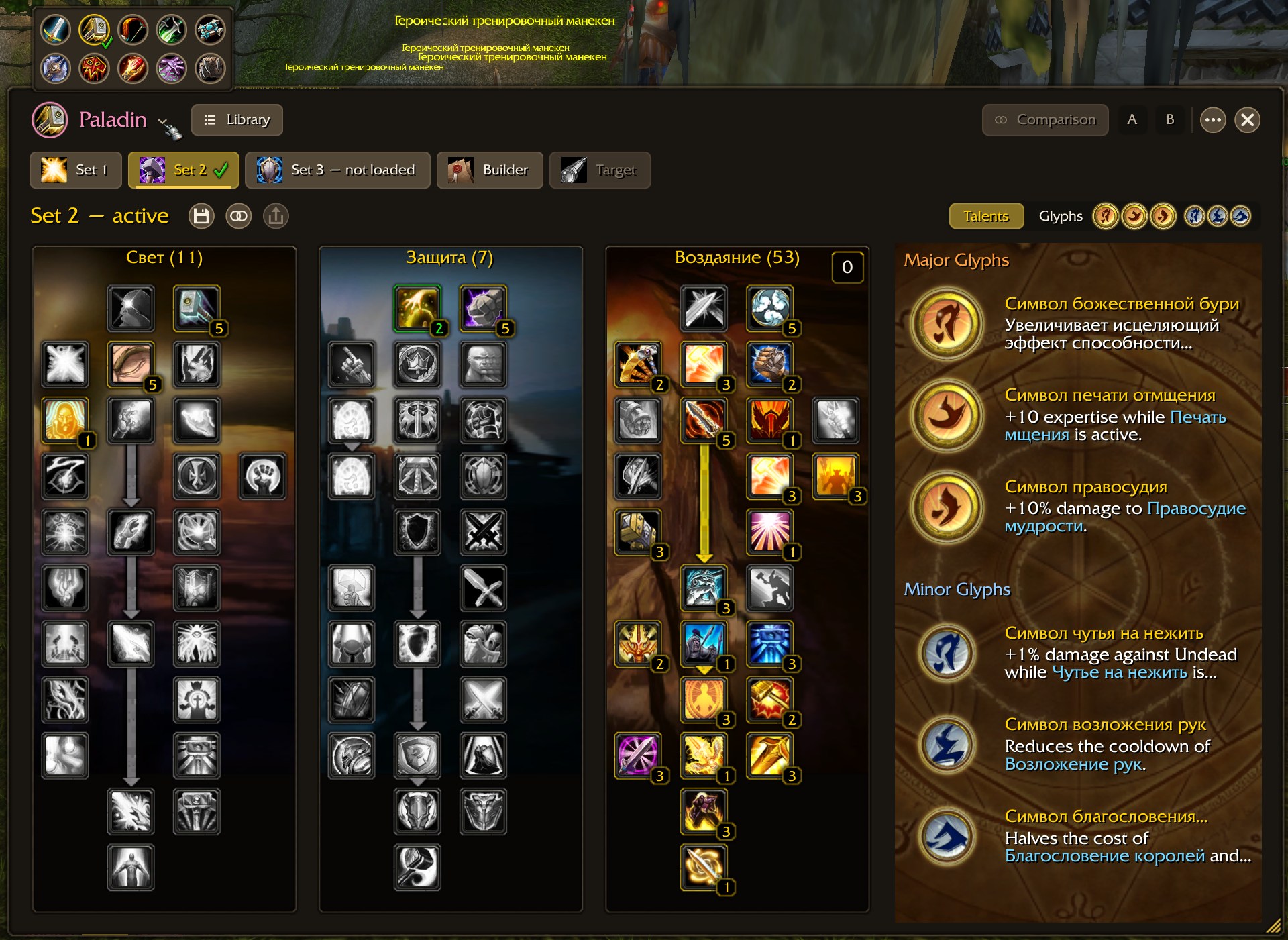
Left-click adds a rank, right-click takes it back, and the footer counts what is free out of 71. Your character never changes, and the crest in the header opens any class.
Up to ten builds of your own per class, plus ready PvE builds for all ten. A build drops onto your live tree as markers: green where you match, yellow short, red over.
Your free points go into preview in one go, you confirm, and the addon checks the server's answer and reports it in chat. Talents already learned still need a trainer — that is the game.
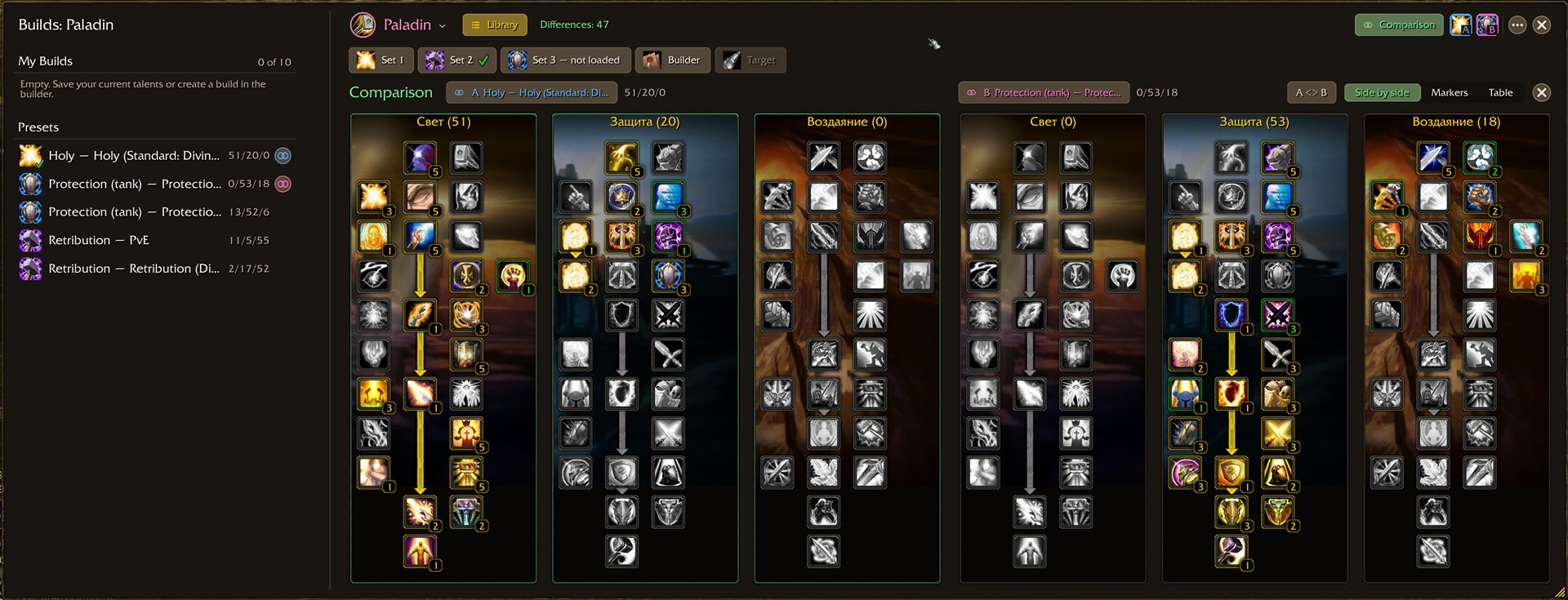
The Target tab shows all three of their trees and both of their sets when the server sends them. The A and B cart compares side by side, as markers, or as a table of differences.
Share sends it to the player you target, and you see beforehand whether they run the addon. They decide, and the answer lands in your chat: accepted, declined, in combat, or no free slot.
Every 3.3.5 glyph is catalogued, six classes get spec advice, and there is an In bags filter and Auctionator prices. The swap panel inscribes a glyph in two clicks, no window needed.
A bar preset remembers every button: spells, macros, items, gear sets. After a talent reset, Apply puts them back, and presets are shared by all your characters of that class.
The Caps pane works out hit, expertise, defense, armor penetration and healer haste. You see what is short, the damage it costs, where the excess goes, and what a raid adds.
Two ways: the updater installs and updates for you, the archive is by hand.
/mct.game folder\Interface\AddOnsUpdating
The client reads new addon files only at startup, so restart the
game after an update instead of using /reload. Your own
builds, bar presets and settings are kept.
Feedback
Bugs, oddities and ideas — in Discord or in GitHub issues. For a bug, the addon version, client language, class and the full Lua error text help most.