ManacodeUpdate
- Download and run the updater.
- Press Install next to Market Based Auction.
- Log in, open the auction house and pick the Market tab.
 Market Based Auction
WoW 3.3.5a addon · version 0.11.1 · beta
A Market tab inside the auction window. Every number starts from the market scans you ran: the market price is the average over the cheapest 15% of units, not the first lot in the list. Crafting, processing, shopping and posting all count from it.
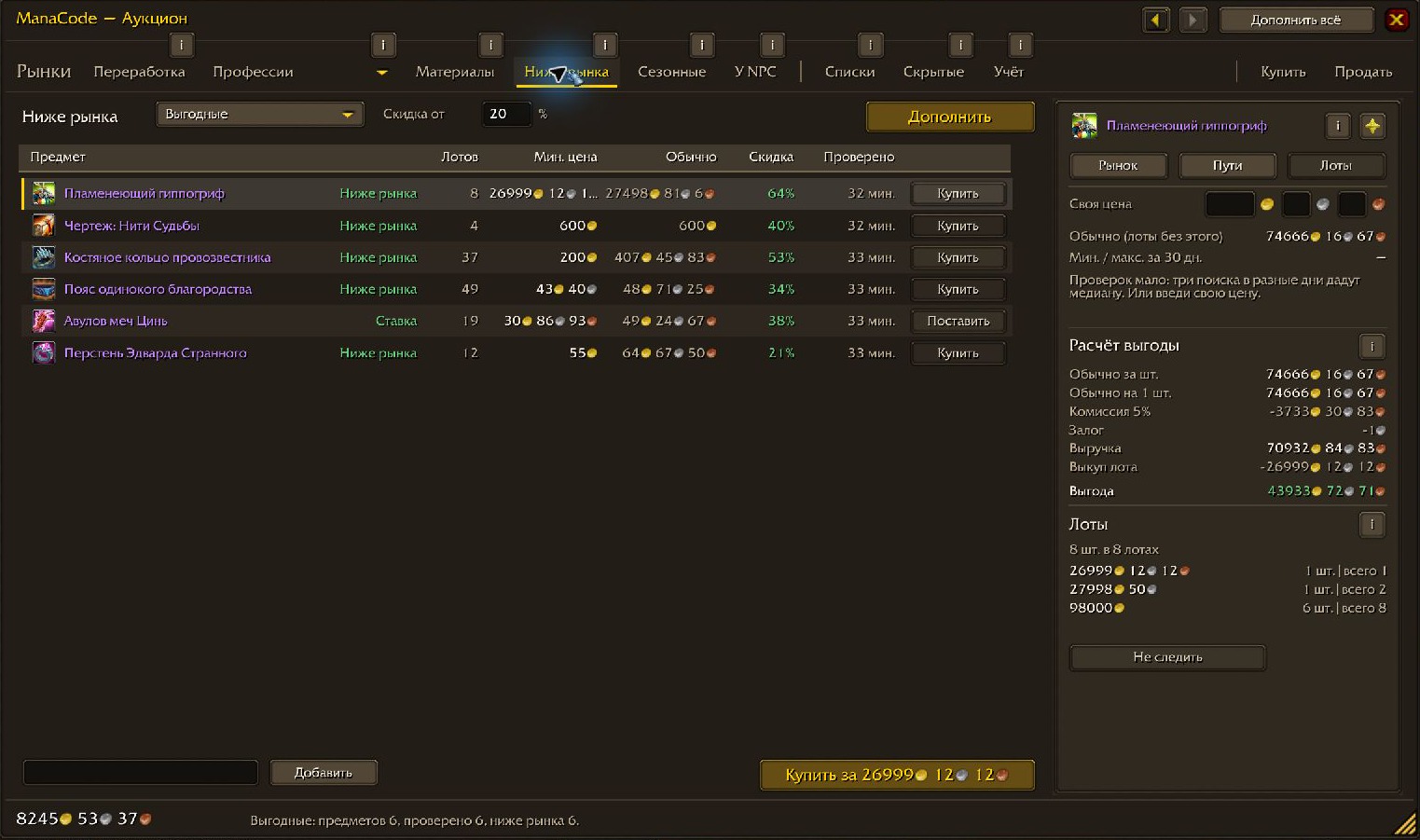
MarketFull scanThe gearBack and forwardPage by page, 50 lots at a time, or the whole auction house in one request where the server allows it. A server error, AFK or a closed auction house pauses the scan, and it resumes on the same page. Scans live about a month and up to 150 MiB; the latest full scan of your realm and faction is always kept. Screenshots are from a Russian client; the addon speaks English too.
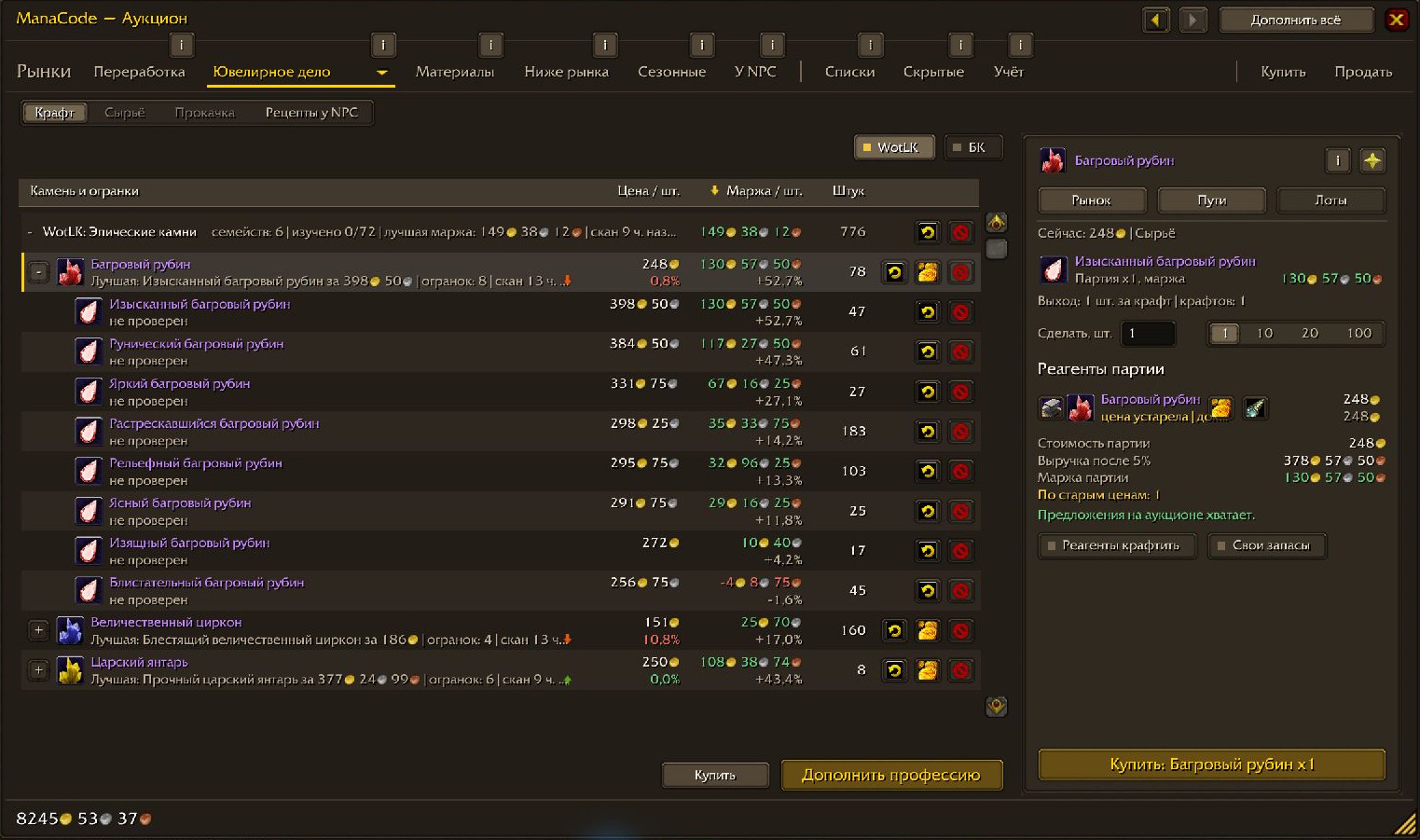
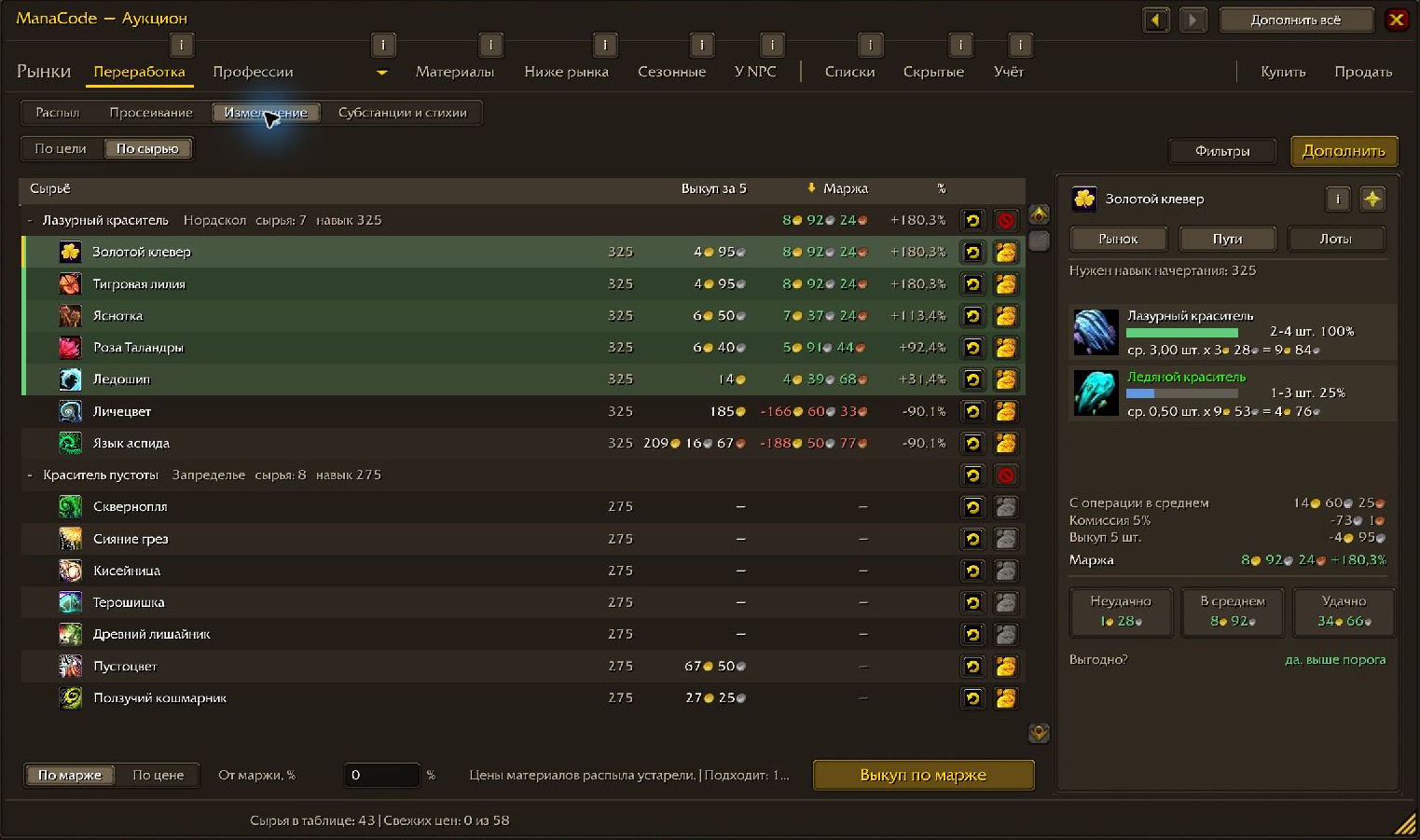
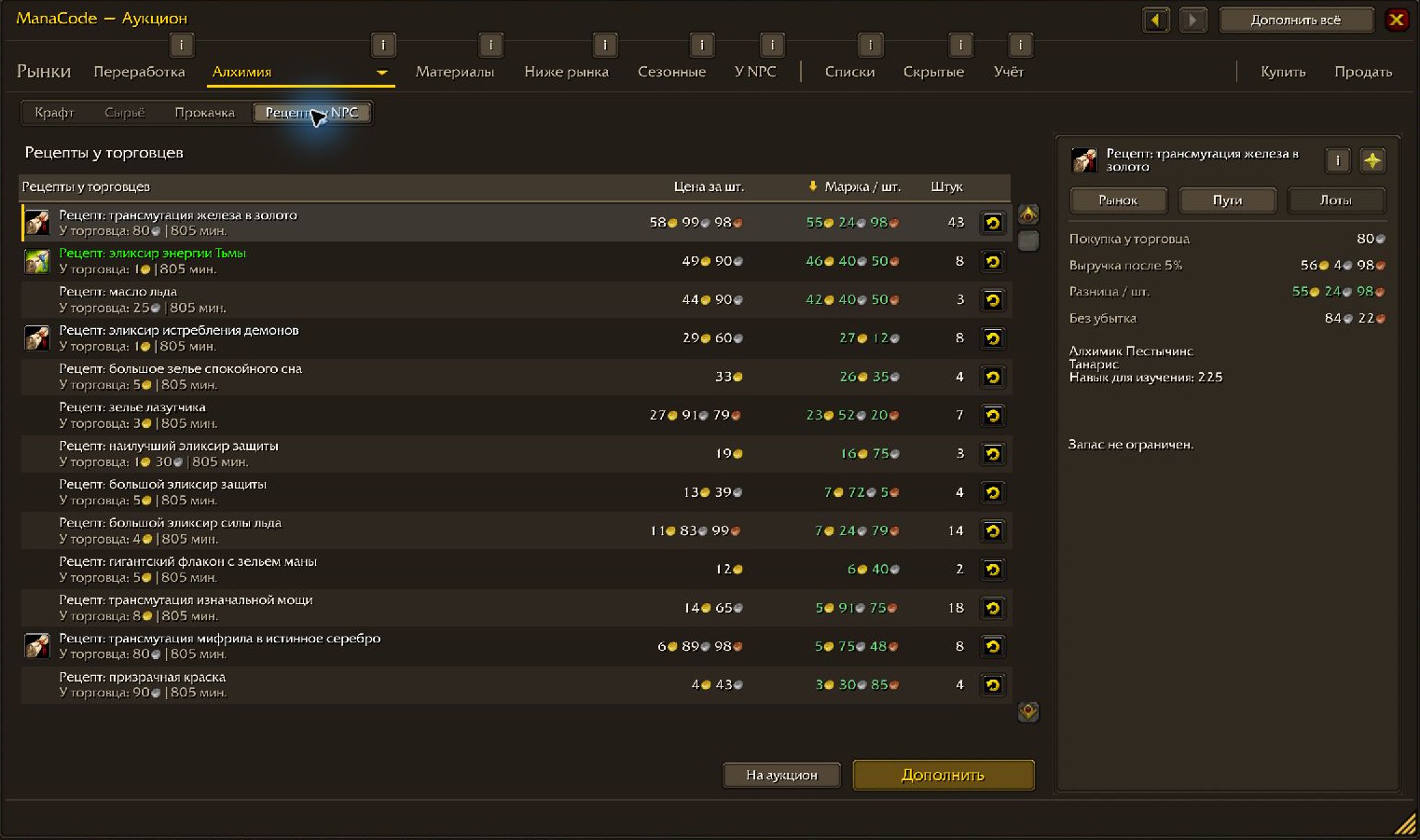
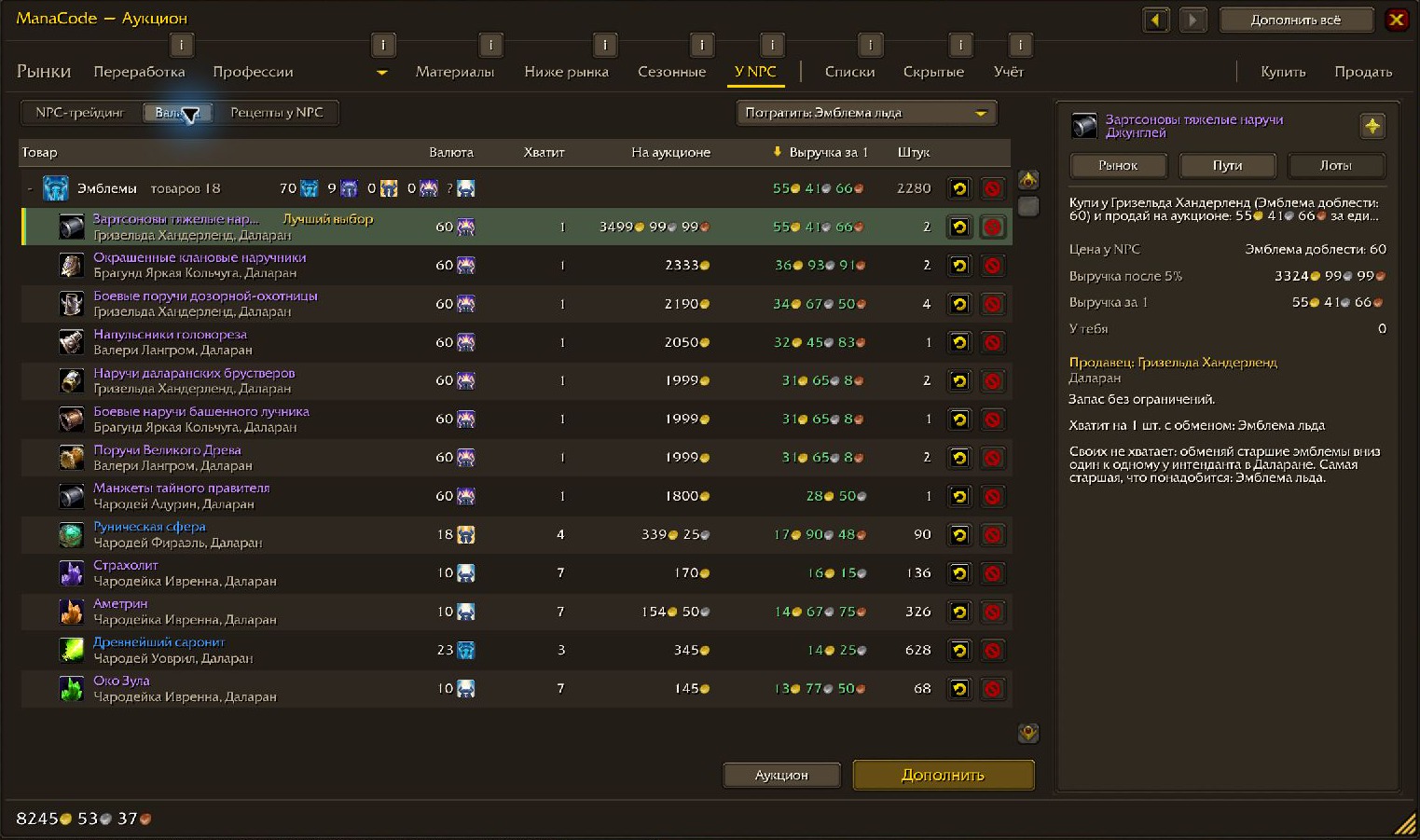
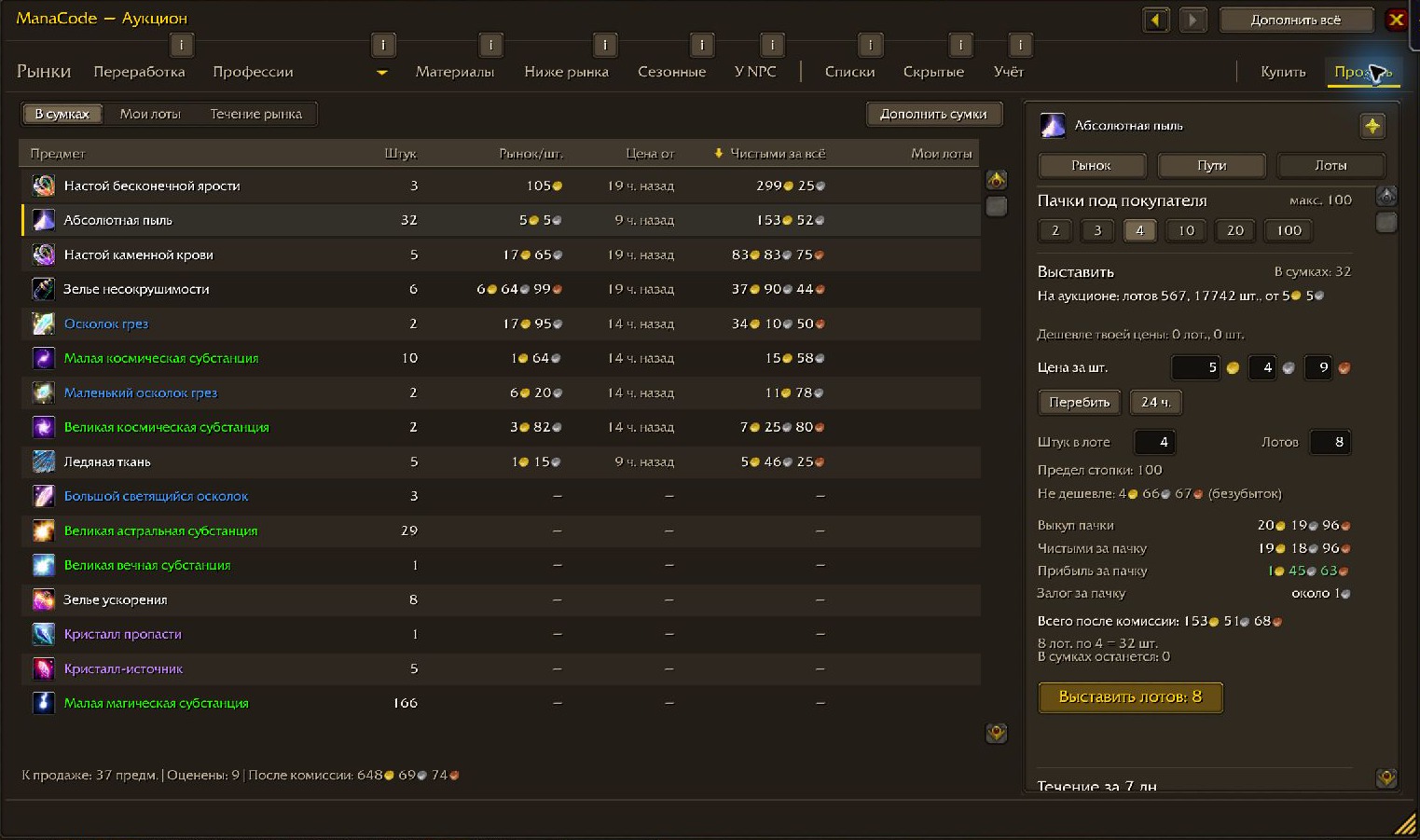
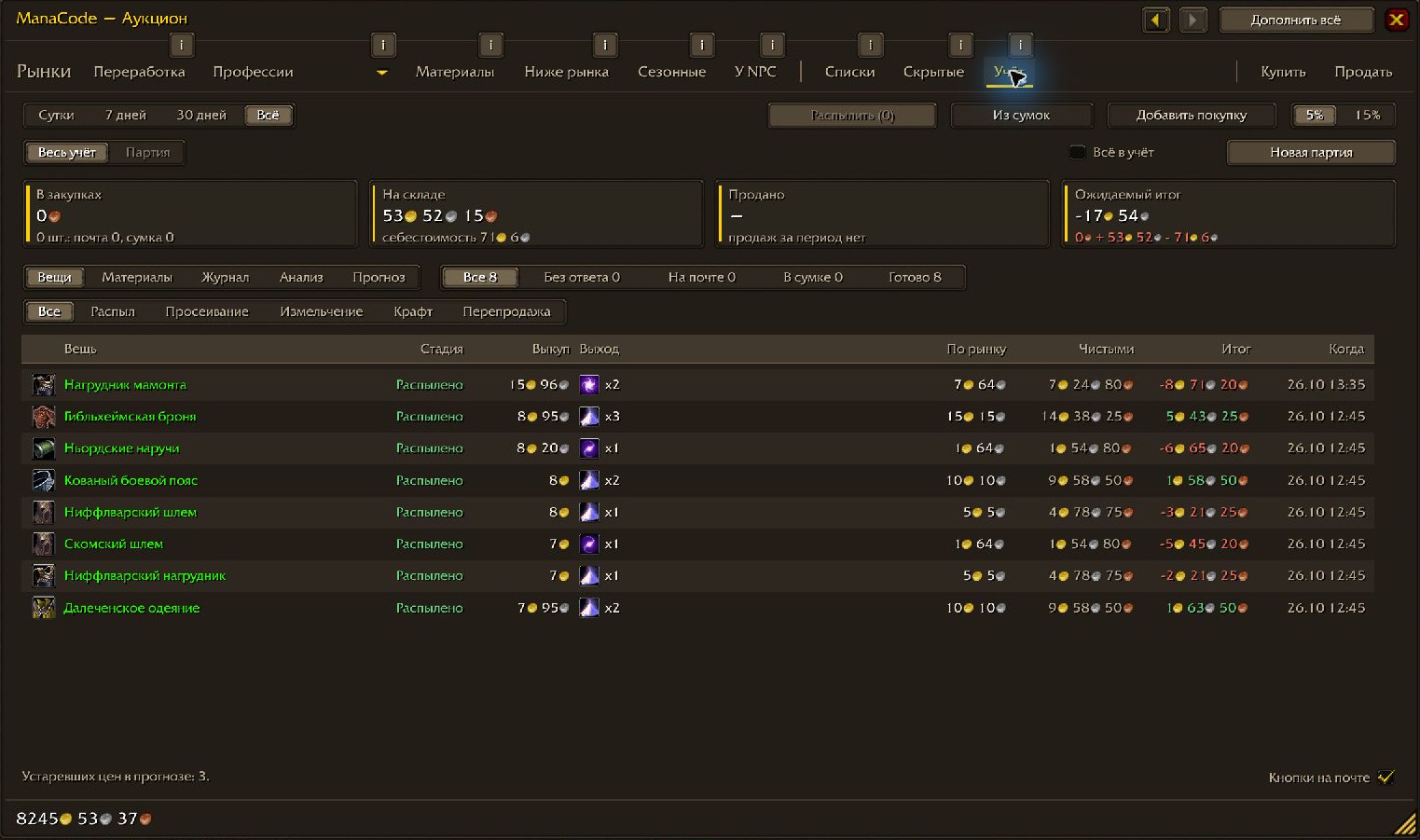
The market price is the average over the cheapest 15% of units, stretched to 30% while no lot costs more than 1.2 times the one before it. A single cheap lot does not drag the number with it, and a reseller's stack does not break it.
The addon never queries the auction house on its own. Requests go out with a gap, and after a server refusal it slows down and waits. An unfinished scan is saved and continues after you log back in.
A recipe opens as a batch: how many crafts by the recipe yield, the materials, the surplus, your own stock and the cost of what is missing. The main button names the next reagent to buy, with Create xN next to it.
Buy, craft, transmute, cut, prospect, mill or convert — all in one window, with the cost per unit and the catches: cooldowns, low-chance outcomes, which of your characters knows the recipe. A chosen way goes straight into the batch.
Name the dust, essence, shard or crystal you need and the addon finds gear that drops it. The margin counts every outcome by its chance, with the auction fee and the deposit; the walk can stop at a margin or at a unit price.
From the latest full scan the addon picks discounted lots and bids with little time left. A lot cheaper than the vendor price gets its own mark. Before a purchase the lot is searched for again.
What to buy from an NPC and sell at the auction house: Frozen Orb trades, limited stock, pets. Currency turns emblems, honor, arena points and tokens into gold by the best tradable good.
Feed, stock and statistics: what you paid, what you got, the result per item and per craft. Purchases, mail, disenchants and sales land in the journal by themselves. Sell posts one stack per click and shows the five cheapest prices.
Two ways: the updater installs and updates for you, the archive is by hand.
ManaCode_AuctionScan.game folder\Interface\AddOns/reload is not enough.Beta
0.11.1 is out, 0.12 with a rewritten ledger is in the works. Prices come from offers, not from completed sales: a lot that disappears is not a proven sale, and margins and disenchant yields are estimates. Every purchase and craft is confirmed by you — the addon buys nothing on its own.
Feedback
Bugs, oddities and ideas — in Discord or in GitHub issues.